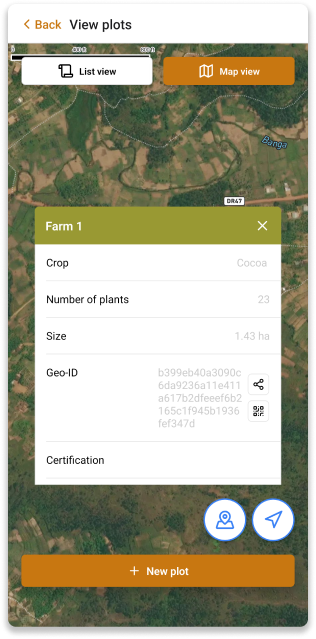
View Plots
You can view the list of plots for a specific farmer by clicking View all plots on the Farmer Details screen.
Plots List
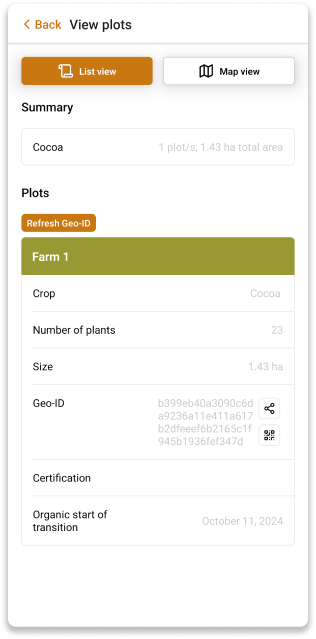
You can choose to view plots in a list with all the plot details. In that screen you are able to see the total number of plots and the total area of all the plots.
You are able to refresh the Geo-ID of a specific plot by clicking the Refresh Geo-ID button. You can also share the Geo-ID of a specific plot by clicking the Share icon.
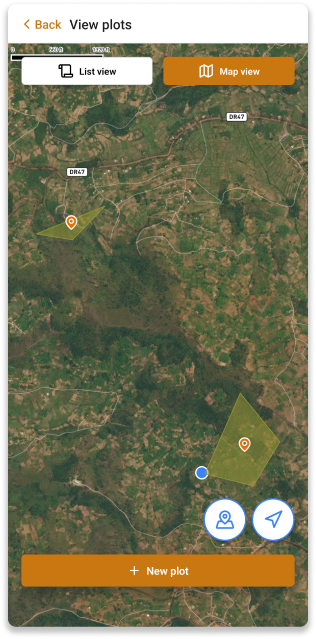
You can also see the plots on the map by clicking the Map view button.
You can see the plot details by clicking on the plot.